3 months building a mobile app with -AI-. What I learned? (complete feedbacks)

👉 1- My Real Workflow for Building with AI
Over the past few months, AI has been portrayed either as a revolutionary technology capable of replacing developers or as little more than a gimmick.
After more than 20 years of building professional software applications, I wanted to form my own opinion by using it on a real project: a mobile app for discovering and sharing sticker packs across WhatsApp, Signal, Telegram, and other platforms.
I developed this application on my own over the course of approximately three months, making extensive use of AI tools throughout the entire project.
🔥 My goal was not to find out whether AI could write code for me, but to understand what it actually accelerates, what it still cannot do, and how it concretely changes a developer's day-to-day workflow.
In the end, the conclusion is fairly simple: the productivity gains are real, and sometimes impressive. However, based on my experience, the promise of building a complete application in just a few days remains largely exaggerated.

👉 2- The Tasks I Delegated to AI
Contrary to what many people imagine, I didn't ask an AI to build an entire application for me. Instead, I used it as a collection of specialized tools throughout different stages of the project.
UI Design and Mockups
My first use of AI was for interface design. I usually enjoy creating screens myself, but I wanted to experiment with tools such as Stitch.
The speed of production genuinely surprised me. Within a few hours, it is possible to generate coherent and visually polished mockups. The resulting interfaces are often quite "mainstream" and not particularly original, but for quickly kickstarting a project, the time savings are substantial.
The biggest pitfall lies elsewhere: the less precise the requirements, the more approximate the results. A clear and detailed prompt remains essential.
Product Definition
I initially tried using AI to design the overall architecture of the project. The results were mixed.
However, it proved extremely effective at formalizing functional requirements, organizing ideas, and transforming a general vision into concrete specifications.
Architecture and Technical Decisions
For application architecture, AI allowed me to quickly explore different approaches and accelerate certain technical decisions.
That said, it does not replace experience. Topics such as internationalization, logging, separation of concerns, and library selection still require a comprehensive understanding of the project. If a critical building block is overlooked, AI will not necessarily suggest it on its own.
Code Generation
This is obviously where the gains are the most visible.
Once the architecture was defined, AI became a highly effective accelerator for producing code, generating components, building screens, and automating many repetitive tasks.
But I quickly realized that maintaining control was essential. The more code AI generates, the more important it becomes to verify what is actually being produced and to maintain a clear overview of the entire project.
Backend and Automation
Using MCP servers, particularly with Supabase, also provided significant time savings when building the backend and handling repetitive operations.
Once again, AI dramatically accelerates execution, but it does not replace understanding what is being implemented.
Exploring Unfamiliar Topics
This is probably where I observed the most impressive gains.
My application required integrations that were completely new to me, particularly around managing and installing sticker packs across different platforms.
In the past, I would likely have spent several days—or even weeks—understanding some of these mechanisms. With the help of advanced AI models, I was able to achieve my first working results within a single focused day.
That was the moment I realized my development process had fundamentally changed: AI was not doing the work for me, but it was dramatically reducing the time required to explore and master entirely new domains.
👉 3- The Tools I Used
For this project, I experimented with several AI tools, each serving a different purpose.
For UI design, I primarily used Google Stitch, which allowed me to quickly generate mockups and, in some cases, even usable code. The time savings were significant, provided I already had a fairly clear vision of what I wanted to build.
For functional design and requirements definition, I relied heavily on ChatGPT. It proved particularly effective at structuring ideas, challenging certain assumptions, and turning vague concepts into more concrete specifications.
For architecture and a large portion of the development work, Gemini became my primary tool. I was impressed by its ability to understand the broader context of a project and generate relevant code. That said, it is important to remain aware of how quickly AI offerings, usage limits, and pricing models can evolve.
Most of my day-to-day development then took place in Cursor, particularly through Composer, which provides excellent integration with an existing codebase while keeping resource consumption relatively under control. Once the architecture was well established, this was probably the tool that delivered the greatest productivity gains on a daily basis.
I also made use of MCP servers, particularly with Supabase, to accelerate backend development and automate repetitive operations.
Finally, for the most complex topics—or areas that were entirely new to me—I occasionally turned to more advanced models such as Claude Opus and Gemini, especially when working on integrations related to sticker platforms.
🔥 Looking back, one lesson stands out above all others: no single tool is the best at everything. The real advantage comes not from a particular model, but from knowing which tool to use at the right moment.
 |
| Google Stitch is a powerful tool to generate mockups |
👉 4- The Productivity Gains I Actually Observed
After three months of development, the biggest benefit was not writing code faster—it was maintaining continuous momentum throughout the project.
AI helped accelerate a wide range of tasks: UI design, component generation, requirements definition, application localization into multiple languages, and the implementation of features that I was not initially familiar with.
The most significant gain was probably in exploring unfamiliar topics. In the past, I would have spent days reading documentation, comparing approaches, and building prototypes. With AI, I could often reach a first working solution within a matter of hours. This was particularly valuable when implementing sticker sharing and installation mechanisms across multiple platforms.
I also noticed a more subtle but equally important effect: I spent far less time being stuck on problems. Even when AI-generated answers were imperfect, they often provided an excellent starting point that helped me move forward.
That said, productivity gains are not uniform. They tend to be greatest in areas you already understand well—or, conversely, in completely new domains that need to be explored. In between, AI remains a powerful accelerator, but it does not replace experience or a deep understanding of the product as a whole.
🔥 AI did not allow me to build an application in three days. What it did allow me to do was accomplish, on my own and within three months, tasks that would likely have taken significantly longer just a couple of years ago.
👉 5- What AI Still Doesn't Do
After several months of AI-assisted development, one thing became clear: AI generates code, but it does not build the product for you.
It does not truly understand business objectives, project-specific constraints, or long-term product goals. It does not make the important decisions. Defining the architecture, setting priorities, making technical trade-offs, and determining the overall direction of the product remain the developer's responsibility.
I also found that AI is often very convincing—even when it is wrong. It can suggest implementations that work technically but are poorly suited to the project's context. It can generate duplicated code, introduce technical debt, or gradually increase complexity without it being immediately obvious.
This is probably the most important lesson from my experience: the more capable AI becomes, the more important it is to maintain complete control over the code it produces.
Every suggestion should be reviewed, understood, and validated. Every modification should be explainable. Every technical decision should remain a developer's decision—not one delegated to a tool.
On several occasions, I realized how easy it is to move quickly in the wrong direction. For example, when generating screen after screen, AI can easily duplicate components or business logic that should have been shared and reused. The result may work in the short term, but it becomes increasingly difficult to maintain as the project grows.
AI is an incredibly powerful accelerator. But an accelerator can be dangerous if you take your hands off the wheel.
Ultimately, the skill that may become the most valuable is no longer the ability to write every line of code yourself, but the ability to understand, control, and guide what AI produces.
 |
| Keep control: know where you go and check where you are... |
👉 6- Conclusion
When I started this project, my goal was simply to measure the real impact of AI on mobile application development. Three months later, my conclusion is far more nuanced than what is often portrayed in both the most optimistic and the most skeptical articles and YouTube videos.
Yes, AI helped me move faster. Yes, it enabled me to explore unfamiliar domains, produce more in less time, and accomplish on my own tasks that would have taken significantly longer in the past.
But it did not replace experience, product understanding, or technical expertise. Throughout the project, I still had to maintain a clear architectural vision, review the generated code, validate proposed solutions, and correct the many inevitable imperfections.
Ultimately, the biggest transformation was not the speed of writing code. It was the way I develop software.
Today, I spend less time figuring out how to implement a solution and more time deciding which solution is actually worth implementing.
After more than 20 years in software development, that is probably the most significant change I have observed.
AI did not build my application for me. What it became instead was a genuine development partner—an incredibly fast one, sometimes brilliant, sometimes surprising, but one that still requires supervision, perspective, and critical thinking.
And perhaps that is the most important skill to develop today: learning how to collaborate effectively with AI while remaining fully responsible for what is being built.
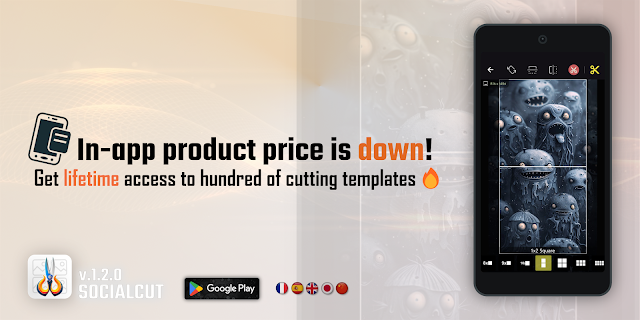
🔥 7- App Preview and download


Comments
Post a Comment